
Automation available with setup

Owner re-engaged

Follow up when a quiet client returns so your team can help them pick up a useful task.

Watch the playbook

Owner re-engaged | HighLevel Client Retention Automation (GoCSM)Watch on YouTube

The client problem

An account that had gone quiet is active again.

What GoCSM looks for

The last login was within 7 days and the health trend is rising.

What to do next

  1. Review the client's recent activity.
  2. Prepare a welcome-back note.
  3. Suggest a relevant next step.

Before you start

  • Install GoCSM's PlayBooks folder in HighLevel, then check the wording and recipients and publish the "GoCSM - Owner re-engaged" workflow.
  • Uses recent logins and whether the health score is rising, so health scoring must be on (not part of the Login Activity plan).

Reading this guide sends nothing. Messages go out only from a workflow you review and publish in your own HighLevel account.

70 playbooks. 48 install as ready workflows.

Prebuilt HighLevel workflows install for you on Basic, Pro and Premium. Annual plans include setup with our team.

Re-engage quietAutomation available

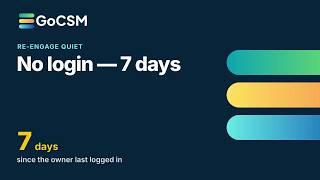
No login — 7 days

No one on the client's team has logged in for a week.

Re-engage quietAutomation available

No recent login

No one on the client's team has logged in for 21+ days.

Re-engage quietAutomation available

Whole account inactive

No one on the account has logged in for about two months.

Browse all 70 playbooks